Figma to WordPress,
overnight
Free WordPress Plugin
Give your AI agent a Figma file and wake up to a whole site built from native Gutenberg blocks: header, footer, templates and pages, ready for review. No page builder runtime.
blocks out
blocks
work too
Built by WordPress
developers
Every line of the plugin was written by 7Fridays, an agency that has been moving designs into WordPress for over ten years. The output reflects exactly what we would want to inherit from another developer.
Your whole WordPress site, without opening wp‑admin
Connect Fabrement to your AI agent once, and it works on the live site: pages, blocks, menus, forms, media and SEO. Claude, ChatGPT, Codex, Cursor or any other MCP client. See what your agent can do
Build with MCP
Figma · Claude · promptConnect Figma, or design in Claude, and build a full website or a single page. The agent builds real blocks, templates and pages on your site, reusing what already exists.
Maintain with MCP
Content · SEO · layoutEdit content, update SEO, reorder sections: pretty much anything, without opening wp-admin.
Translate with MCP
Works with WPMLCreate a page in another language in one request: blocks, templates, categories and SEO, linked as translations.
Generate a WordPress site
in four steps
From a single prompt to editable WordPress pages, headers, footers, templates and Gutenberg blocks
Connect your AI
Connect your AI model to the installed Fabrement plugin. We recommend the MCP connection. Step-by-step guides: ChatGPT, Codex, Claude, Cursor.
Bring a design or an idea
Connect Figma to convert a design directly, upload an HTML export, or build from plain text and screenshots.
Build the pages
Keep building page by page. Fabrement reuses the components you already have wherever it can, and sets the meta titles as it goes.
Review and publish
Check the text, roll back versions, change the order of sections. Press publish when you are happy with it.
Figma to Gutenberg in three steps.
From a Figma frame to native Gutenberg blocks on your own WordPress site, with your AI agent doing the build.
-
1
Connect your agent and Figma
Install Fabrement, connect Claude, ChatGPT, Codex or Cursor from Fabrement → MCP Connection, and save a Figma token once under Fabrement → API Connection → Figma.
-
2
Send the frame links
Paste the links to your Figma frames. The agent reads each frame and builds it as a native Gutenberg block: auto layout becomes real flex and grid CSS, not absolutely positioned boxes, and colours and type come from your design system. A frame too large to read at once is built section by section.
Build the homepage from this Figma frame: [link] Use our design system and the existing header and footer. Leave the page as a draft. -
3
Review the drafts
New pages start as drafts. Check them on desktop and mobile, ask for changes in the same chat, and publish when you are happy.
Every Gutenberg block stays editable in the WordPress editor afterwards.
Build custom WordPress theme with AI
Skip manual layout work — generate production-ready Gutenberg blocks from prompts or designs
Frames Become Blocks
Point Fabrement at a Figma frame and get a structured, native Gutenberg block — not a screenshot in a container.
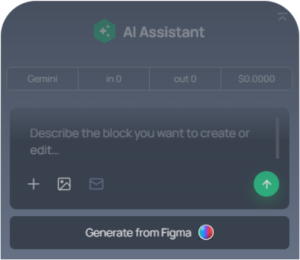
Your Tokens, Not Guesses
Colours, typography and spacing come from your design system, so every generated block stays on brand.
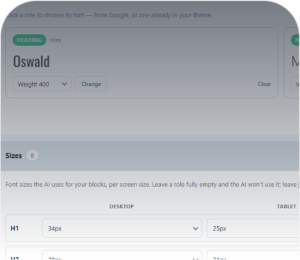
Responsive by Default
One desktop frame is enough. Every block is built to hold up on tablet and mobile without a second design.

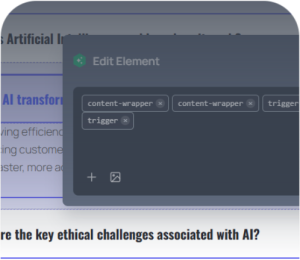
Still Fully Editable
Every generated block stays editable in the WordPress editor — content, structure and styles, down to the detail.
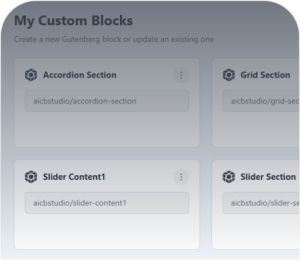
Reuse Across Sites
Save what you build once and reuse it on your other WordPress sites. The code is yours to keep.
Forms Included
Forms in your design get styled to match, using Contact Form 7 or WPForms rather than a proprietary widget.
Frequently asked questions
Is this a Figma to Gutenberg converter?
Yes. Every Figma frame becomes native Gutenberg blocks with editable fields, built with real flex and grid layout. Not a page builder layout, and not a screenshot in a container.
Can I convert Figma to Spectra or Kadence blocks?
It can, but it is not the way we recommend. Since version 1.5.0 the agent places and fills blocks already on your site, Spectra and Kadence included, but it does not change their code, so a design built from them is only as close as the library blocks allow. By default the agent writes custom native Gutenberg blocks for your design, each with its own fields, so the result follows the Figma frame. Pages you already built with Spectra or Kadence keep working, and the agent can keep filling them.
Do I need a Figma account and a token?
Yes. Any Figma plan works, including the free one. Create a personal access token in Figma (Settings, then Security, then Personal access tokens) with read access to file content, and save it once in Fabrement → API Connection → Figma. The token’s account must be able to open the file, otherwise the import fails even though the link opens in your browser.
Can it build a whole site from Figma overnight?
Yes, on a fresh WordPress install with Fabrement connected to your AI agent and a Figma token saved. The agent builds the sections first, then assembles the pages from them, so a whole site fits into one long session. Two conditions: your AI plan needs enough usage for a session that long, because a basic plan can hit its limit halfway, and you wake up to a pre-production site, not a finished one. Expect to review it, fix small layout details and decide what goes live. How close it gets depends on how the Figma file is built.
How should the Figma file be built?
Build it the way code is structured. Use auto layout on every screen, and frames instead of groups: auto layout converts into real flex and grid, while a group imports with a transparent background. Bind colours, spacing, radii and type to variables and styles instead of typing raw values. Make repeated elements such as buttons, cards, inputs and navigation into components with variants for their states, and name layers clearly, like Header, Card/Price or Button/Primary. Set how each element resizes (fill, hug or fixed), keep icons as vector components, and delete hidden or unused layers. One desktop frame is enough. Add a mobile frame only when you want something specific on mobile, because without one the agent decides the mobile layout itself. A messy file still builds, but the agent has to guess more and you fix more in review.
Does it copy my design pixel for pixel?
It gets you most of the way there and keeps your colours, typography and spacing. Complex layouts usually need a round of adjustment, which you do in the WordPress editor or by sending the AI a follow-up instruction. It replaces the tedious part, not your judgement.
My Figma section is very large. Will it work?
Yes. A frame too large to read at once is built section by section: the agent fetches it in parts and assembles the result. Splitting a very long page into separate frames, such as a hero, a feature grid and a footer, still helps, because each one becomes a reusable block instead of one enormous section.
Does the plugin work with my existing theme?
Yes. Fabrement generates native Gutenberg blocks, headers and footers that sit alongside whatever theme you already run. It does not replace your theme and it does not add a page builder runtime.
How much does the plugin cost?
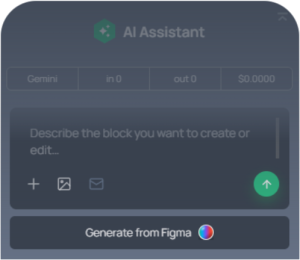
The plugin is free. Over MCP, your agent runs on the AI subscription you already have, so nothing is billed by us. The chat inside wp-admin starts with $3 of free credit, enough to build three or four blocks, and then uses your own OpenAI, Anthropic Claude or Google Gemini key.
Turn your Figma file into a WordPress site tonight
Install the free plugin, connect the AI you already use and send it your Figma frames. Review the pages as drafts in the morning.
NO CREDIT CARD · WORKS WITH EXISTING SITES · YOUR OWN AI AGENT