Build and manage WordPress with MCP
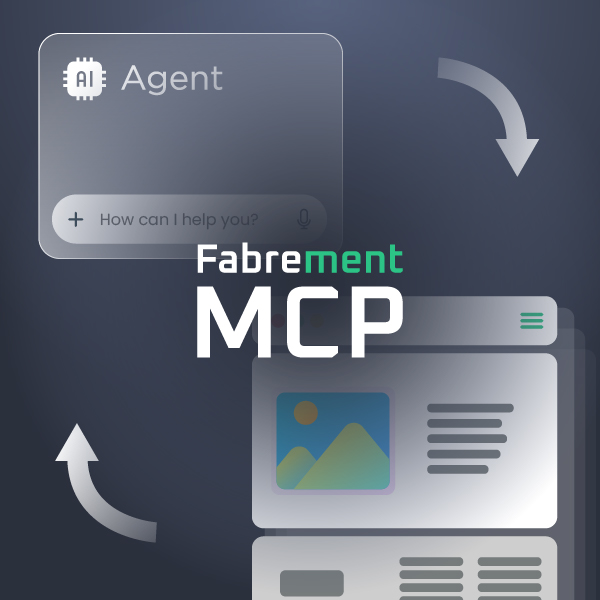
Connect your agent in minutes.
Pick your client in Fabrement → MCP Connection, approve access on your own site, and start a new chat. With OAuth there is no password to copy, and Cursor adds itself in two clicks.
- ChatGPT
- Claude
- Codex
- Cursor
- Free connection
ChatGPT and Codex
Step by step with screenshots: OAuth in ChatGPT, Codex in the desktop app, the CLI and your editor.
- ChatGPT on the web
- Codex app, CLI and IDE extension
- Application password for servers
Claude
Step by step with screenshots: the one-click connector on claude.ai and the desktop app, and Claude Code.
- One click on claude.ai
- Claude Code commands
- Local sites and servers
Cursor
Step by step with screenshots: Add to Cursor in two clicks, or let Cursor set up the connection itself.
- Add to Cursor, then Install
- Cursor chat or mcp.json
- Needs a paid Cursor plan
Built by WordPress
developers
The plugin and its MCP server were written by 7Fridays, an agency that has been building and maintaining client WordPress sites for over ten years. These are the same tools we use to build this website.
Give it your Figma links in the evening. Review the site in the morning.
Work you can hand to your agent
Once it is connected, you ask in plain words and the change happens on your site, as native Gutenberg blocks your team can still edit by hand.
A SITE FROM A DESIGN
- Give it the links to your Figma frames and go to sleep
- Sections become real, editable Gutenberg blocks
- It reuses the header, footer and blocks you already have
- You wake up to a pre-production site, not a mockup
- Then ask for adjustments in the same chat
RUN THE SITE WITHOUT WP-ADMIN
- New pages from the sections you already have
- Prices, texts and images changed in plain words
- Menus, forms and site-wide details like phone and opening hours
- No admin screens to learn or search through
- You can still open wp-admin whenever you want
TRANSLATIONS
- A page in another language in one request
- Linked as a translation, with its template, SEO and categories
- Headers, footers, menus and forms translated too
- Phone numbers, links and brand names stay the same everywhere
SEO THAT GETS DONE
- It finds pages without an SEO title or description, and fills them
- SEO titles and descriptions for every page and post type
- Schema: FAQ, Article, Organization, Event and more
- Defaults for whole post types and archives
ARTICLES
- Drafts posts from your notes, as native blocks
- Headings, lists, tables, code and images laid out properly
- FAQs picked from one library instead of copied between pages
- SEO fields set, and it asks you before publishing
BLOCKS FROM A SENTENCE
- Heroes, pricing tables, sliders, galleries, forms and FAQs
- From a sentence, a screenshot or a Figma frame
- Every block follows your design system
- Each change is a version you can restore
Generate a WordPress site
in four steps
From a single prompt to editable WordPress pages, headers, footers, templates and sections
Connect your AI
Connect your AI model to the installed Fabrement plugin. We recommend the MCP connection. Step-by-step guides: ChatGPT and Codex, Claude.
Bring a design or an idea
Connect Figma to convert a design directly, or build from plain text and screenshots.
Build the pages
Keep building page by page. Fabrement reuses the components you already have wherever it can, and sets the meta titles as it goes.
Review and publish
Check the text, roll back versions, change the order of sections. Press publish when you are happy with it.
Questions before you connect
Which AI agents can connect?
ChatGPT, Claude (claude.ai and Claude Code), Codex and Cursor. In Fabrement → MCP Connection you pick your client: ChatGPT, Claude and Codex connect with OAuth, Cursor and any other MCP client with a WordPress application password, and the screen generates the setup to paste. Step by step: ChatGPT and Codex, Claude. Rather not use an MCP client? Take the admin chat route instead: OpenAI, Claude and Gemini work there, inside wp-admin.
Do I need to know how to code to use an agent over MCP?
Not any more. ChatGPT and claude.ai connect with OAuth: you approve the connection once and then work in the chat, with no command line involved. Claude Code, Codex and Cursor take a command or a configuration entry, and the MCP Connection screen generates it for you to paste. If you would rather not use an outside agent at all, the admin chat inside WordPress builds blocks too, without leaving wp-admin.
How much does the plugin cost?
The plugin is free. Over MCP, your agent runs on the AI subscription you already have, so nothing is billed by us. The chat inside wp-admin starts with $3 of free credit, enough to build three or four blocks, and then uses your own OpenAI, Anthropic Claude or Google Gemini key.
Is it safe to give an AI agent access to my site?
Treat the connection like an administrator: whether it uses OAuth or an application password, the agent acts as your administrator user, with write and delete access to content. Connect only clients you trust, work on staging when the change is significant, keep versions so a change can be rolled back, disconnect the agent in the Connection access card when the work is done, and review anything that touches payments, authentication or personal data yourself.
Do you still need a developer if an AI agent runs the site?
Not for everyday changes: text, images, a new page built from sections that already exist. You need one when the system itself changes, when a new kind of section has to be designed, or when something breaks in a way that needs reading the code. The lookup work went away; the judgement did not.
What can an AI agent not do on a WordPress site?
It works through a fixed set of registered operations, not a shell, so there is no file access beyond the blocks it writes and the database operation is read-only. Publishing is a separate step, so a page cannot go public as a side effect of saving it. It does not touch WooCommerce, carts or payments, and it has no role-scoped access: an agent gets the whole surface or none of it.
Connect your agent and hand over the first job
Install the plugin, sign the site in to a free Fabrement account and connect ChatGPT, Claude, Codex or Cursor. The connection is free.
FREE PLUGIN · FREE MCP CONNECTION · NATIVE GUTENBERG BLOCKS