HTML to WordPress
blocks overnight
Free WordPress Plugin
Give your AI agent a static site, an AI-builder export or the address of a live site, and wake up to a WordPress site ready for review: native Gutenberg blocks, templates and pages your team can edit.
address in
blocks out
work too
Built by WordPress
developers
Every line of the plugin was written by 7Fridays, an agency that has been moving designs into WordPress for over ten years. The output reflects exactly what we would want to inherit from another developer.
Your whole WordPress site, without opening wp‑admin
Connect Fabrement to your AI agent once, and it works on the live site: pages, blocks, menus, forms, media and SEO. Claude, ChatGPT, Codex, Cursor or any other MCP client. See what your agent can do
Build with MCP
Figma · Claude · promptConnect Figma, or design in Claude, and build a full website or a single page. The agent builds real blocks, templates and pages on your site, reusing what already exists.
Maintain with MCP
Content · SEO · layoutEdit content, update SEO, reorder sections: pretty much anything, without opening wp-admin.
Translate with MCP
Works with WPMLCreate a page in another language in one request: blocks, templates, categories and SEO, linked as translations.
We expected half a day. It took less than 2 hours.
HTML to WordPress in three steps.
From a zip of HTML, CSS and JavaScript to native Gutenberg blocks on your own WordPress site, with your AI agent doing the build.
- 1
-
2
Upload your HTML
Upload the zip with your HTML, CSS and JavaScript to your AI agent. It sets up the design system first (colours, fonts, buttons), then rebuilds each section as a native Gutenberg block and assembles the pages. Images are copied into your media library, so nothing keeps pointing at the old site. Coming from Claude Design? The Claude Design to WordPress guide has the full prompt we used.
Build a WordPress theme from this HTML. -
3
Review the drafts
New pages start as drafts. Check them on desktop and mobile, ask for changes in the same chat, and publish when you are happy.
Every Gutenberg block stays editable in the WordPress editor afterwards.
Claude Design to WordPress
Designed it in Claude Design? There are two ways to bring it to your WordPress site, and both end in native Gutenberg blocks.
EXPORT THE HTML
- In Claude Design, export the project as standalone HTML
- Upload the export to your AI agent
- Ask it to build a WordPress theme from the HTML
- Works with any agent connected to Fabrement
HAND IT OFF TO CLAUDE CODE
- Use the hand-off to Claude Code in Claude Design
- Connect Claude Code to your site through Fabrement
- Claude builds the design as blocks, templates and pages
- The hand-off carries the design and what it is for
A THEME YOU CAN EDIT
- Header, footer and templates on one design system
- Every section a native Gutenberg block with real fields
- Pages saved as drafts until you publish
- Later changes by asking, in the same chat
What your HTML becomes
Every section of your static site comes back as WordPress your team can edit, on one design system.
Sections Become Blocks
Each section of your HTML is rebuilt as a native Gutenberg block with its own editable fields. It is not pasted in as a custom HTML block.
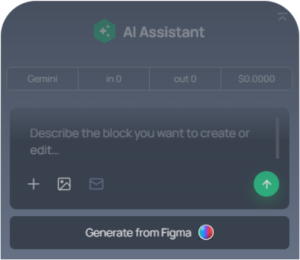
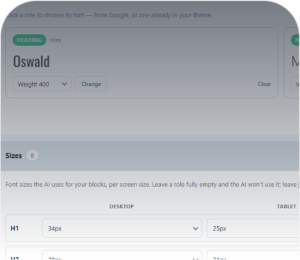
One Design System
Colours, fonts and buttons are set up once as tokens, so every block matches, including the ones you add later.
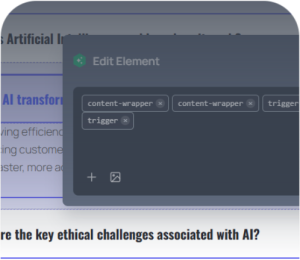
Responsive by Default
Every block is built to hold up on tablet and mobile, even when the old site did not.

Still Fully Editable
Text, images and links are edited in the WordPress editor, or by asking your agent in plain words.
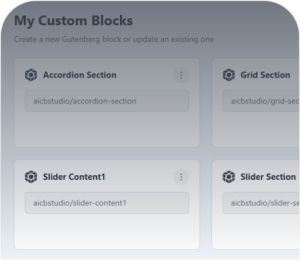
Reuse Across Sites
Save what you build once and reuse it on your other WordPress sites. The code is yours to keep.
Forms Included
Contact forms are rebuilt with Contact Form 7 and styled to match, so they send email without a custom back end.
Frequently asked questions
Is this an import or a rebuild?
What does not come over?
Can I give it only the address of a live site?
Does it work with exports from Lovable, Bolt, v0 or Claude Design?
Will my page addresses and rankings survive?
How long does it take?
What does it cost?
Move your HTML site to WordPress overnight
Install the free plugin, point your agent at the files and wake up to editable WordPress pages, saved as drafts.
NO CREDIT CARD · WORKS WITH EXISTING SITES · YOUR OWN AI AGENT