Custom Gutenberg blocks, built by your AI agent


Built by WordPress
developers
The plugin was written by 7Fridays, an agency that has been hand-building Gutenberg blocks for client sites for over ten years. The markup it generates is what we would want to inherit from another developer.
Your whole WordPress site, without opening wp‑admin
Connect Fabrement to your AI agent once, and it works on the live site: pages, blocks, menus, forms, media and SEO. Claude, ChatGPT, Codex, Cursor or any other MCP client. See what your agent can do
Build with MCP
Figma · Claude · promptConnect Figma, or design in Claude, and build a full website or a single page. The agent builds real blocks, templates and pages on your site, reusing what already exists.
Maintain with MCP
Content · SEO · layoutEdit content, update SEO, reorder sections: pretty much anything, without opening wp-admin.
Translate with MCP
Works with WPMLCreate a page in another language in one request: blocks, templates, categories and SEO, linked as translations.
From a prompt, screenshot or Figma frame to a block
Skip manual layout work — generate production-ready Gutenberg blocks from prompts or designs
AI-Powered Block Generation
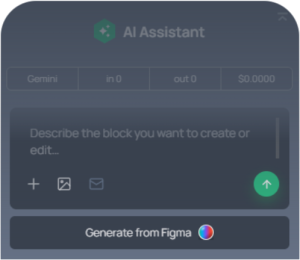
Create Gutenberg blocks from a prompt, screenshot, or Figma design – instantly structured and ready to use
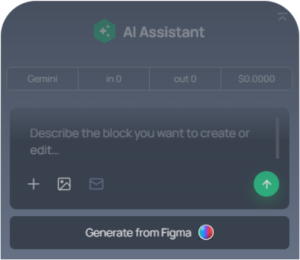
Flexible Design System
Control fonts, sizes, colors, and button styles to keep every block consistent with your brand.
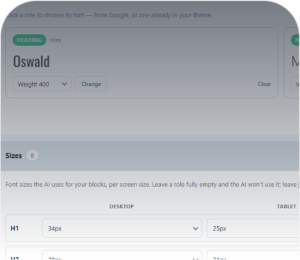
Save Once, Build Everywhere
Save and reuse blocks across all your WordPress sites – you are the owner.
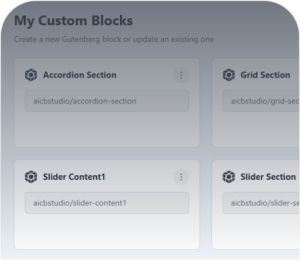
Fully Responsive by Default
Every block is optimized for all screen sizes, ensuring a seamless experience on any device.

Advanced Block Editing
Edit every part of your block with precision – structure, content, and styles down to the smallest detail.
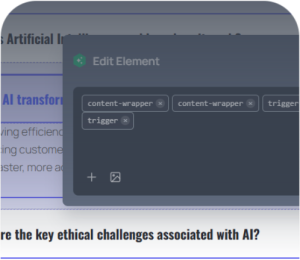
Forms Support
Your agent styles Contact Form 7 and WPForms forms to match the rest of the site.
Everything You Need to Create Better Blocks
From generating layouts to matching your design system, AI gives you everything you need to create professional Gutenberg blocks in minutes.
CREATE ANY BLOCK
- Generate production-ready Gutenberg Blocks in seconds
- Clean, native blocks — no proprietary builder
- Follows your theme, design system and global styles
- Customize every generated block after creation
- Spend more time on custom functionality, not repetitive layouts
KEEP YOUR DESIGN
- Follow your colors and typography
- Respect spacing and design tokens
- Match your existing design system
- Generate responsive layouts automatically
- Keep every block visually consistent
FULLY EDITABLE
- Native Gutenberg blocks
- Edit everything after generation
- No proprietary builder or lock-in
- Reuse blocks across projects
- Publish immediately
Learn the plugin in minutes
We value your input! Help us improve the plugin
The plugin is in active development. Detailed reports get patched fast — usually inside a week.
Frequently asked questions
Are these real Gutenberg blocks?
Yes. Each section is a registered Gutenberg block with its own block.json, server-rendered PHP and scoped CSS. It appears in the block inserter like any other block.
Does a screenshot become a locked component?
No. It becomes a custom block with editable fields for its content, and its code can be changed by the agent or by hand.
What happens to my blocks if I stop using Fabrement?
The blocks belong to you, and you can download the generated code and reuse it anywhere, including in your own theme. What is not automated yet is the moving: today that is a manual step, and while the plugin is installed it is what renders those blocks on your pages. An automated export to your theme is planned.
Does the plugin work with my existing theme?
Yes. Fabrement generates native Gutenberg blocks, headers and footers that sit alongside whatever theme you already run. It does not replace your theme and it does not add a page builder runtime.
How much does the plugin cost?
The plugin is free. Over MCP, your agent runs on the AI subscription you already have, so nothing is billed by us. The chat inside wp-admin starts with $3 of free credit, enough to build three or four blocks, and then uses your own OpenAI, Anthropic Claude or Google Gemini key.
Do I need to know how to code?
No. Describe what you want, or point Fabrement at a Figma frame or a screenshot, then edit the result in the standard WordPress editor. If you do write code, every generated block is open for you to change by hand.
Will it slow my site down?
No. Fabrement generates clean, semantic code that loads only on the pages using it — there is no shared page builder runtime shipped to every visitor. That is why sites built this way hold their Core Web Vitals.
Which AI providers can I use?
That depends on the route. Over MCP, you connect the agent you already use: ChatGPT, Claude (claude.ai and Claude Code) and Codex sign in with OAuth, and Cursor or any other MCP client connects with a WordPress application password. The agent works on your own plan with that provider, and Fabrement charges nothing for it. Through the admin chat inside wp-admin you can use OpenAI, Anthropic Claude or Google Gemini: new accounts start with free credits, then the chat uses your own API key, billed by that provider.
Can I edit the blocks after they are generated?
Yes, completely. Content, structure and styles are all editable in the standard WordPress editor, and the block’s code is there if you want to change it by hand.
Can I use the plugin on multiple websites?
Yes — on as many sites as you need, including client sites. There is no per-site licence and no limits.
How often are updates released?
We release updates regularly to ensure compatibility, security, and to introduce new features. Major updates are typically delivered monthly.
Start building custom Gutenberg sections with AI
Install the plugin in under a minute. Generate your first sections free. Connect your own API key when you’re ready to scale.
NO CREDIT CARD · FREE TIER INCLUDED · WORKS WITH EXISTING SITES