Running WordPress From Your Coding Agent: What MCP Actually Changes
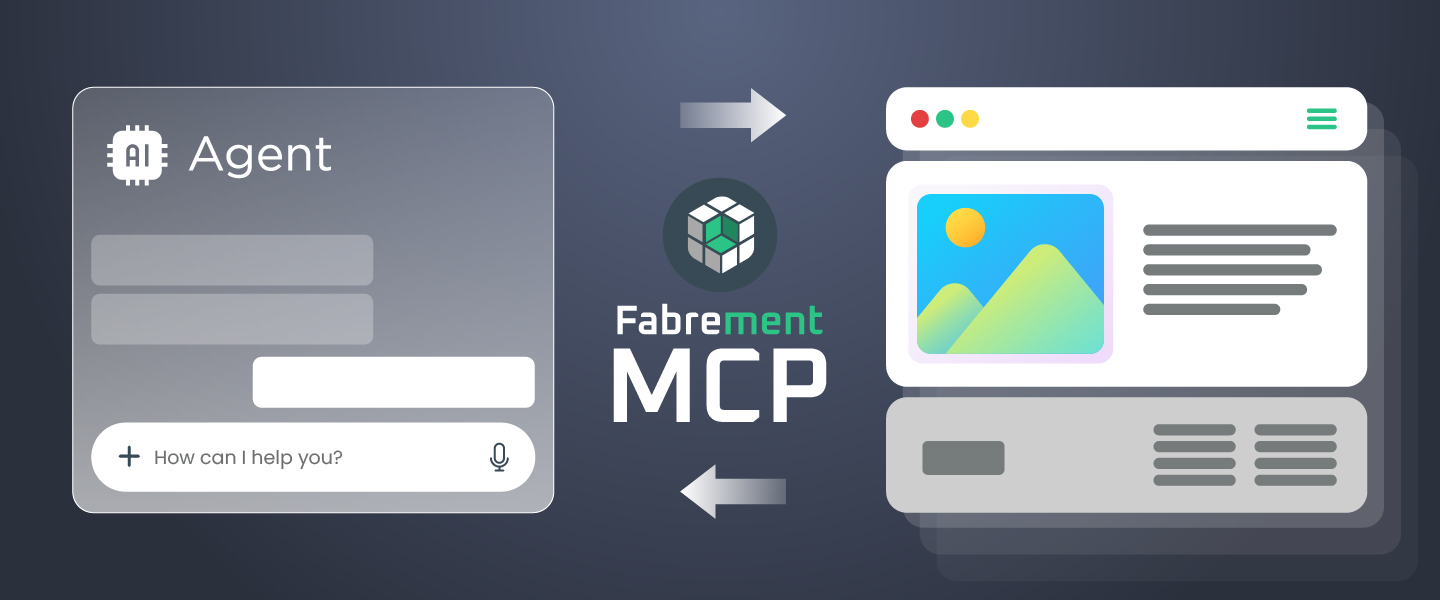
The Model Context Protocol (MCP) lets a coding agent operate WordPress directly, instead of writing code into a chat window that you then copy, paste and debug. Connected over MCP, the agent reads your design system, creates Gutenberg blocks and writes them to the site as tool calls. The unit of work stops being a snippet and becomes a change to the site.
That sounds like a small difference in plumbing. In practice it changes who verifies the work, where mistakes surface, and how much of a build an agency can safely hand over.
Key takeaways
- MCP is an open standard for connecting AI agents to external systems. Fabrement is a WordPress MCP server that exposes a real WordPress site to the agent you already work in.
- The difference from chat-based coding is not speed. It is that the agent can read the site’s actual state before it writes to it.
- Guardrails matter more than model choice: an agent with write access and no architectural rules produces duplication faster than a human can.
- Delegate repetitive, verifiable work. Keep architecture, data modelling and integration decisions human.
- For an agency running 25–50 sites, the benefit compounds: one component, many sites, a single review.
What is the Model Context Protocol?
MCP is an open protocol, introduced by Anthropic in late 2024 and since adopted across the major agent clients, that standardises how AI applications connect to outside systems. A server declares a set of typed tools; a client — Claude Code, Cursor or another agent — discovers those tools and calls them. Before it existed, every integration was bespoke: a separate adapter per model, per application.
For WordPress, the practical consequence is a single connection your agent can use to read and change a real site. Not a plugin that welds one vendor’s model into wp-admin, and not a chat box that has to be told what your site looks like every time you open it.
Connect Claude to WordPress over MCP
WordPress is building this into core
This is no longer only a plugin conversation. WordPress 6.9 shipped the Abilities API — a standard way for core, plugins and themes to register typed, discoverable capabilities through wp_register_ability(). Alongside it sits an official MCP Adapter, maintained in the WordPress GitHub organisation, which exposes those registered abilities to MCP clients. Automattic has deprecated its own earlier WordPress MCP plugin in favour of it.
That is a significant thing to have happened quietly. Registration, discovery and transport are now standard, which means an agent that speaks MCP can find out what a particular WordPress site is able to do without anyone writing a bespoke integration for it.
What is not there yet is the safety model.
- Permissions are decentralised. Each ability is expected to implement its own
permission_callbackand check the minimum capability it needs. The framework provides the hook; whether it is used properly depends on every plugin author who registers an ability. - Authentication resolves to one user. A client connects with an application password or OAuth and then acts as that single logged-in WordPress user, uniformly, across everything exposed to it.
- There is no per-agent scoping. No separate key per agent, no way to give one agent narrower rights than another, and nothing recording which agent made which change. The official guidance is to create a restricted user by hand — a workaround rather than a feature.
So the plumbing is standardised and the locks are not. Where that leaves any particular plugin is worth being specific about, because «an agent with write access» describes two very different things.
Fabrement does not hand the agent a general gate. It gets a fixed set of operations rather than the filesystem, and a block is a defined file set that is validated before anything is saved — PHP syntax, a security scan and a code policy check. Fail any of them and nothing is written at all. Only an administrator can connect an agent, from inside wp-admin, so nobody gains access they did not already have: it is the administrator doing the work, through an agent.
What remains true, and worth treating seriously, is that the connection carries that administrator’s rights for as long as it exists. Which is why the setup steps below tell you to work on staging for anything structural and to disconnect the agent when the job is done.
Anyone telling you that connecting an agent to WordPress is a solved safety problem is describing a future version of this one.
What changes when your agent is connected to WordPress
Most comparisons of AI coding tools argue about output quality. The more useful comparison is about context — what the model can see before it writes anything.
| Aspect | Chat window + copy–paste | Agent connected over MCP |
|---|---|---|
| Where code lands | You paste it, and hope the target file was the one you had in mind | The agent writes to the site and reports exactly what it wrote |
| What the model knows | Whatever you remembered to paste into the prompt | Live design tokens, existing blocks, templates and menus |
| Design consistency | Re-explained from scratch every session | Read from the site’s design system on every request |
| Verification | You open the page and look | The agent renders it, checks it, and can fix it before you look |
| Typical failure | Plausible code for a site that does not exist | A real change, with a version to roll back to |
| Ten sites | Repeat the entire conversation ten times | Build the component once, deploy it per site |
The last row is where the economics change. A chat workflow costs roughly the same on the tenth site as on the first, because the expensive part — re-establishing context — is repeated every time. A connected agent pays that cost once.
Guardrails matter more than which model you use
Giving an agent write access to WordPress does not automatically produce better sites faster. Without architectural rules it produces duplication faster: four variations of the same hero under four names, styles that leak across sections, and a stylesheet nobody can safely delete from.
The question is not whether the model can write the code. It is whether anything stops it from writing the same component four times under four different names.
This is what we mean by defined margins — we later asked the agent itself to describe every boundary it hit here, and two of them turned out to be bugs. The agent works inside a fixed structure — one block per section, styles scoped to that block, code that loads only on pages that actually use it — and it is the structure, not the wording of your prompt, that keeps the site maintainable six months later. A model upgrade improves the code inside the boundaries. It does not invent the boundaries.
It is the same reason we treat WordPress core as a PHP framework rather than layering a heavyweight builder on top of it: fewer moving parts for the agent to get wrong, and nothing shipped to the browser that the page does not use.
What to delegate, and what to keep human
Safe to delegate — repetitive, bounded and easy to verify by looking at the result:
- Building standard sections: heroes, feature grids, testimonials, FAQs, pricing and comparison tables.
- Restyling existing blocks to a changed design system.
- Responsive passes and breakpoint fixes.
- Styling forms to match the brand.
- Rolling one reviewed component out across a fleet of sites.
Keep human — decisions that are cheap to make now and expensive to reverse later:
- The content model: post types, taxonomies and how records relate to each other.
- Which third-party services the site depends on, and which it can live without.
- Performance budgets, and what is allowed to load on the critical path.
- Anything touching payments, authentication or personal data.
- Final sign-off on brand-critical pages.
The line is not about difficulty. Plenty of the delegated work is fiddly. It is about whether a mistake shows up immediately in something you can see, or quietly two months later in something you cannot.
How to connect a coding agent to WordPress
With Fabrement installed and the site signed in to a free Fabrement account, connecting an agent takes a few minutes:
- In wp-admin, open Fabrement → MCP Connection. Only an administrator can.
- Pick your client: ChatGPT, Claude, Codex or Cursor.
- Connect it. ChatGPT, Claude and Codex use OAuth: you approve access on your own site, and there is no password to copy. Cursor adds itself in two clicks with Add to Cursor. Any other MCP client connects with a WordPress application password and the setup the screen generates.
- Start a new chat and check that the WordPress tools appear.
- When the work is done, disconnect the agent in the Connection access card.
Step five is not housekeeping. The agent gets no rights you do not already have; it works through a fixed set of operations, with no file access and read-only database queries. What changes is who uses those rights: a model acting on its reading of your words, and a connection that lives in your chat account until you remove it. Block changes are versioned and new pages start as drafts, so most mistakes are easy to undo. Work on staging for anything structural, and disconnect the agent when you are finished. The full walkthroughs, with screenshots, are in the guides for ChatGPT, Codex, Claude and Cursor. People who would rather not use an MCP client at all can use the admin chat inside wp-admin instead.
Which agent is on the other end is your choice, and it runs on the AI plan you already have. The admin chat works with OpenAI, Anthropic Claude or Google Gemini through your own API key. Either way you pay your AI provider directly; the MCP connection itself is free.
What this means for an agency running 25–50 sites
At fleet scale the bottleneck is rarely writing a section. It is that every site needs the same section slightly differently, and each variation needs a developer for twenty minutes. Twenty minutes across forty sites is a fortnight.
A connected agent changes the shape of that work: the component is built and reviewed once, then applied per site, with the design system on each site deciding how it looks. The review stays human. The repetition does not. The same logic applies to maintenance — updates, regression checks and rollbacks — which we covered in WordPress Automation: AI That Builds and Maintains.
Frequently asked questions
What does MCP stand for?
MCP stands for Model Context Protocol. It is an open standard that lets AI applications connect to external tools and data sources through one common interface, rather than through a custom integration for every model and every app.
Do I need to know how to code to use an agent over MCP?
Not any more. ChatGPT and claude.ai connect with OAuth: you approve the connection once and then work in the chat, with no command line involved. Claude Code, Codex and Cursor take a command or a configuration entry, and the MCP Connection screen generates it for you to paste. If you would rather not use an outside agent at all, the admin chat inside WordPress builds blocks too, without leaving wp-admin.
Which AI providers can I use?
That depends on the route. Over MCP, you connect the agent you already use: ChatGPT, Claude (claude.ai and Claude Code) and Codex sign in with OAuth, and Cursor or any other MCP client connects with a WordPress application password. The agent works on your own plan with that provider, and Fabrement charges nothing for it. Through the admin chat inside wp-admin you can use OpenAI, Anthropic Claude or Google Gemini: new accounts get $3 of free credit on Gemini. For OpenAI or Claude, and once the credit is used, the chat runs on your own API key, billed by that provider.
Is it safe to give an AI agent access to my site?
The agent gets no rights you do not already have: only an administrator can connect it, and it works through a fixed set of operations, with no file access beyond the blocks it writes and read-only database queries. What changes is who uses those rights: a model acting on its reading of your words, and a connection that stays in your chat account until you remove it. Block changes are versioned and new pages start as drafts, so most mistakes are easy to undo. Connect only clients you trust, work on staging when the change is significant, disconnect the agent in the Connection access card when the work is done, and review anything that touches payments, authentication or personal data yourself.
How is this different from a page builder with an AI feature?
A page builder’s AI feature produces content inside that builder’s runtime, which every visitor then downloads. An agent connected over MCP produces native Gutenberg blocks and PHP that load only on the pages that use them, so the weight your visitors carry is the page they asked for, not the builder.
Where to start
If you build WordPress sites for a living, the fastest way to judge this is to connect an agent to a staging site and give it one real section to build — something you have built by hand often enough to know what good looks like. See Build Blocks for the sections people generate most, and the Theme Builder for how design systems, headers and footers fit together.
See it run
A Figma frame to a finished WordPress front page in 9 minutes 56 seconds, with the admin never opened once. Seventy-two seconds of it:
Related articles

The Margins Are the Product
An AI agent spent a working day building on this website. Here is everything it was not allowed to do — in…
All the Power of WordPress, Without the Admin
Three weeks of running this website without opening the WordPress admin once, and why that matters most to the people who never…
WordPress MCP Adapter vs Fabrement
The official MCP Adapter is the bridge that lets an AI agent call what WordPress plugins register. Fabrement is a plugin with…