Fabrement features
Everything your AI agent can build and run on a WordPress site: blocks, templates, post types, fields, design, SEO and translations. All of it native WordPress.
Build the site, not just the content
Your agent writes real Gutenberg blocks, headers, footers and templates, as code you can read, edit and roll back.
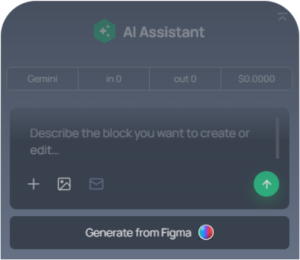
AI Block Generation
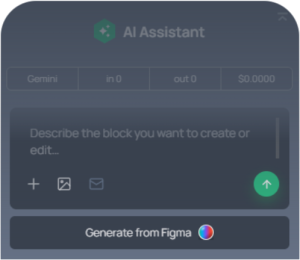
Any section as a native Gutenberg block, from a prompt, a screenshot or a Figma frame.
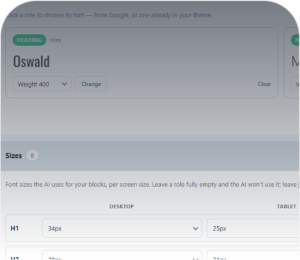
One Design System
Colour roles, fonts and button styles set once, and every block follows them.
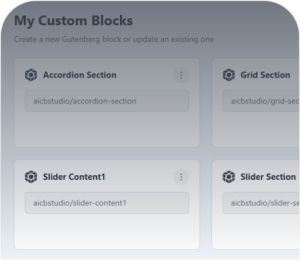
Headers, Footers and Templates
Built once and applied to chosen pages, post types or archives, on block and classic themes.
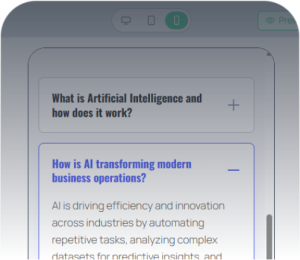
Fully Responsive
Every block adapts to every screen, with padding and content width set per device.
Versioned Editing
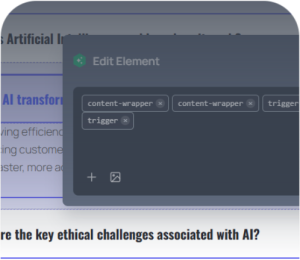
Change a block in plain words, one step at a time, and restore any earlier version.
Forms Support
Contact Form 7 forms styled to match the site, or WPForms forms placed inside blocks.
Go deeper
- Build Blocks: how the agent writes a Gutenberg block from a prompt, a screenshot or a design.
- Theme Builder: headers, footers and templates for the whole site.
- Figma to WordPress: a whole page from a Figma frame.
- Build and manage with MCP: what your agent can do once connected.
- How Fabrement works: what goes in, and how the agent is guided.
- Step-by-step guides for ChatGPT and Codex and for Claude, more guides, and comparisons with other WordPress AI tools.
Built by WordPress
developers
Fabrement is built by 7Fridays, an agency that has built over 1,000 WordPress sites on its own theme in six years. What the plugin generates is what we would want to inherit from another developer.
Content with real structure
Post types, fields and options pages, defined by your agent and edited by your team in wp-admin.
YOUR OWN CONTENT TYPES
- Projects, events, courses, team members, locations
- Their own URLs, categories and tags
- A single-page layout for each type
- Archive pages with their own title, description and SEO
- Listings with cards, filters, sorting and pagination
CUSTOM FIELDS
- Text, number, date, select, image, gallery, file and link
- Relationships, groups and repeaters
- Filled in on the edit screen, in tabs your agent sets up
- Stored in the ACF-style post meta format
- Usable in queries, SEO templates and schema
OPTIONS, MENUS AND MEDIA
- Options pages for phone numbers, addresses and opening hours
- Change once, and every header, footer and block updates
- Navigation menus, including nested items
- Media uploads with alt text and a shared icon library
- Home page, blog page, a custom 404 and private preview links
Your whole WordPress site, without opening wp‑admin
Connect Fabrement to your AI agent once, and it works on the live site: pages, blocks, menus, forms, media and SEO. Claude, ChatGPT, Codex, Cursor or any other MCP client. See what your agent can do
Build with MCP
Figma · Claude · promptConnect Figma, or design in Claude, and build a full website or a single page. The agent builds real blocks, templates and pages on your site, reusing what already exists.
Maintain with MCP
Content · SEO · layoutEdit content, update SEO, reorder sections: pretty much anything, without opening wp-admin.
Translate with MCP
Works with WPMLCreate a page in another language in one request: blocks, templates, categories and SEO, linked as translations.
Your brand, in search and in every language
Set up your brand once, then let every page carry it into search results and into every language you publish in.
YOUR BRAND, SET ONCE
- Colour roles, typography and button styles
- Responsive type for headings and body text
- Google Fonts, installed locally in one click
- Site-wide CSS and JavaScript for the rest
- Several design systems, switch between them
SEO AND STRUCTURED DATA
- SEO titles and meta descriptions for every page
- Defaults for whole post types and archives
- Schema: Organization, Article, FAQPage, Event, Product and more
- Schema filled from your field values
- The agent can install Yoast SEO for you
MULTILINGUAL SITES
- A version of each page per language, linked as a translation
- Block text in WPML's translation editor
- Headers, footers, menus and forms translated too
- Post types, taxonomies and fields translated
- Fixed strings registered with WPML String Translation
Built to be run by an agent, safely.
Fabrement gives your agent the habits of a careful developer, and keeps you in charge of your site.
Nothing unchecked reaches your site
PHP syntax, a security policy and the JavaScript build are checked first. If a check fails, nothing is saved.
It looks before it builds
The agent reads your pages, blocks and design system first, reuses what exists, and changes only what you asked.
Every change can be undone
Each block change is a version you can restore, new pages start as drafts, and preview links show the result first.
You decide who connects
Only administrators can connect an agent, with OAuth or an application password, and access is revoked on one screen.
What Fabrement does not do
- No WooCommerce: it does not manage products, carts or payments.
- Translations work with WPML only. Polylang and TranslatePress are not supported.
- No WordPress Multisite: single sites only.
- Fabrement blocks render through the plugin. Deactivate it and their output stops; your posts, pages and media stay.
- SEO fields need Yoast SEO, and forms need Contact Form 7 or WPForms.
Generate a WordPress site
in four steps
From a single prompt to editable WordPress pages, headers, footers, templates and sections
Connect your AI
Connect your AI model to the installed Fabrement plugin. We recommend the MCP connection. Step-by-step guides: ChatGPT and Codex, Claude.
Bring a design or an idea
Connect Figma to convert a design directly, or build from plain text and screenshots.
Build the pages
Keep building page by page. Fabrement reuses the components you already have wherever it can, and sets the meta titles as it goes.
Review and publish
Check the text, roll back versions, change the order of sections. Press publish when you are happy with it.
Questions about what it can do
Are these real Gutenberg blocks?
Yes. Each section is a registered Gutenberg block with its own block.json, server-rendered PHP and scoped CSS. It appears in the block inserter like any other block.
How is this different from a page builder with an AI feature?
A page builder’s AI feature produces content inside that builder’s runtime, which every visitor then downloads. An agent connected over MCP produces native Gutenberg blocks and PHP that load only on the pages that use them, so the weight your visitors carry is the page they asked for, not the builder.
Which AI agents can connect?
ChatGPT, Claude (claude.ai and Claude Code), Codex and Cursor. In Fabrement → MCP Connection you pick your client: ChatGPT, Claude and Codex connect with OAuth, Cursor and any other MCP client with a WordPress application password, and the screen generates the setup to paste. Step by step: ChatGPT and Codex, Claude. Rather not use an MCP client? Take the admin chat route instead: OpenAI, Claude and Gemini work there, inside wp-admin.
Is it safe to give an AI agent access to my site?
Treat the connection like an administrator: whether it uses OAuth or an application password, the agent acts as your administrator user, with write and delete access to content. Connect only clients you trust, work on staging when the change is significant, keep versions so a change can be rolled back, disconnect the agent in the Connection access card when the work is done, and review anything that touches payments, authentication or personal data yourself.
What can an AI agent not do on a WordPress site?
It works through a fixed set of registered operations, not a shell, so there is no file access beyond the blocks it writes and the database operation is read-only. Publishing is a separate step, so a page cannot go public as a side effect of saving it. It does not touch WooCommerce, carts or payments, and it has no role-scoped access: an agent gets the whole surface or none of it.
Start building your WordPress site with your AI agent
Install the plugin, sign the site in to a free Fabrement account and connect Claude, ChatGPT, Codex or Cursor. The MCP connection is free.
FREE PLUGIN · FREE MCP CONNECTION · NATIVE GUTENBERG BLOCKS