Claude builds your
WordPress site
Free Claude Website Builder for WordPress
Fabrement is a free WordPress plugin that turns Claude into a website builder for your own site. Connect Claude once, describe the site in the chat or hand it a design, and Claude builds the pages as native Gutenberg blocks. After launch, the same chat keeps the site up to date.
blocks
saving
or a chat
Built by WordPress
developers
Fabrement is built by 7Fridays, an agency that has built over 1,000 WordPress sites on its own theme in six years. It is our own tool, used by our team in everyday client work.
A Claude website builder you own
Most Claude website builders run your site on their own platform. Fabrement puts Claude to work on WordPress, so the site, the hosting and the code stay yours.
YOURS, NOT A PLATFORM'S
- Your own WordPress, on the hosting you choose
- The plugin and the MCP connection are free
- Claude works on the plan you already have
- Blocks are PHP, CSS and JS any developer can read
NATIVE GUTENBERG BLOCKS
- Every section is a registered Gutenberg block
- Your team edits text and images in the block editor
- One design system: colours, fonts and buttons set once
- Headers, footers and templates for the whole site
CLAUDE KEEPS RUNNING IT
- New pages from the sections you already have
- SEO titles, descriptions and schema with Yoast
- A page in another language in one request, with WPML
- Every block change is a version you can restore
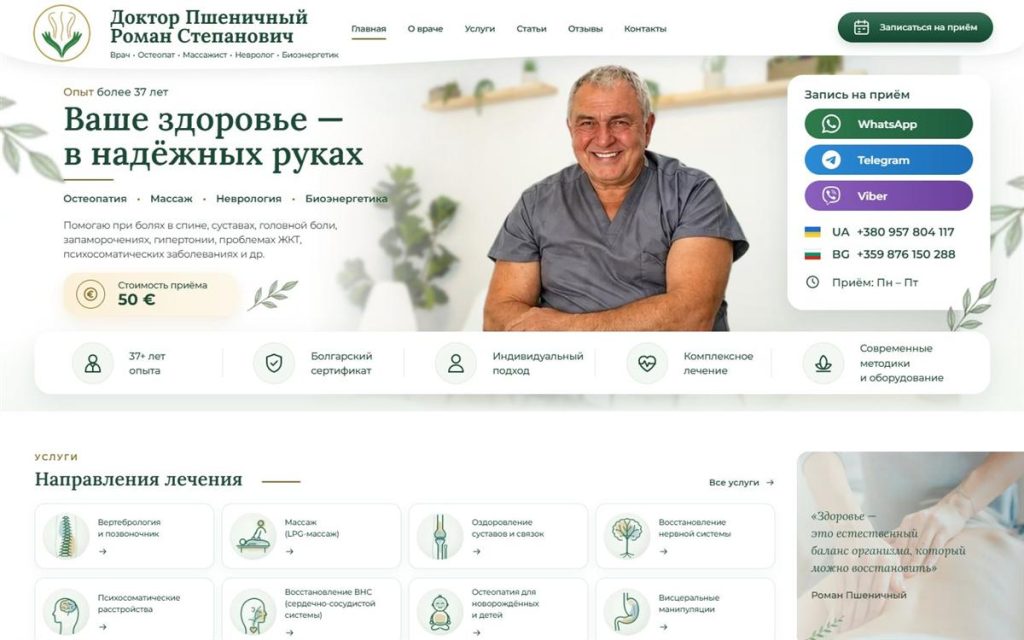
One image and two social pages became a website
Build a website with Claude
in four steps
From a clean WordPress install to a finished site, in one chat with Claude
Install WordPress and Fabrement
Start with a clean WordPress install on your own domain, then add the free Fabrement plugin.
Connect Claude
Connect Fabrement to Claude over MCP. The step-by-step guide takes a few minutes.
Share what you have
Put your marketing materials in the chat: logo, texts, photos, an image of a page you like. Add links to your social pages, and Claude builds the site from them.
Review and publish
Read the pages, ask Claude for changes in the same chat, and publish when you are happy with them.
Claude builds. You stay in charge.
Fabrement gives Claude a fixed set of checked operations on your site, not access to your server.
No server access
Claude works through a fixed set of operations: no file access beyond the blocks it writes, and read-only database queries.
Nothing unchecked reaches your site
PHP syntax, a security policy and the JavaScript build are checked first. If a check fails, nothing is saved.
Every change can be undone
Each block change is a version you can restore, new pages start as drafts, and preview links show the result first.
You decide who connects
Only administrators can connect Claude, and access is revoked on one screen.
Connect Claude in a few minutes
Questions about building with Claude
Are these real Gutenberg blocks?
Yes. Each section is a registered Gutenberg block with its own block.json, server-rendered PHP and scoped CSS. It appears in the block inserter like any other block.
How is this different from a page builder with an AI feature?
A page builder’s AI feature produces content inside that builder’s runtime, which every visitor then downloads. An agent connected over MCP produces native Gutenberg blocks and PHP that load only on the pages that use them, so the weight your visitors carry is the page they asked for, not the builder.
Which AI agents can connect?
ChatGPT, Claude (claude.ai and Claude Code), Codex and Cursor. In Fabrement → MCP Connection you pick your client: ChatGPT, Claude and Codex connect with OAuth, Cursor and any other MCP client with a WordPress application password, and the screen generates the setup to paste. Step by step: ChatGPT, Codex, Claude, Cursor. Rather not use an MCP client? Take the admin chat route instead: OpenAI, Claude and Gemini work there, inside wp-admin.
Is it safe to give an AI agent access to my site?
The agent gets no rights you do not already have: only an administrator can connect it, and it works through a fixed set of operations, with no file access beyond the blocks it writes and read-only database queries. What changes is who uses those rights: a model acting on its reading of your words, and a connection that stays in your chat account until you remove it. Block changes are versioned and new pages start as drafts, so most mistakes are easy to undo. Connect only clients you trust, work on staging when the change is significant, disconnect the agent in the Connection access card when the work is done, and review anything that touches payments, authentication or personal data yourself.
Does Fabrement update plugins or make backups?
No. WordPress, plugin and theme updates, backups and security scans stay with your host or your maintenance plugin. Fabrement maintains what is on the site: your agent changes pages, sections, menus, SEO and translations, and every block change is a version you can roll back.
Let Claude build your WordPress site
Install the free plugin, sign the site in to a free Fabrement account and connect Claude. The MCP connection is free and runs on the Claude plan you already have.
FREE PLUGIN · FREE MCP CONNECTION · NATIVE GUTENBERG BLOCKS