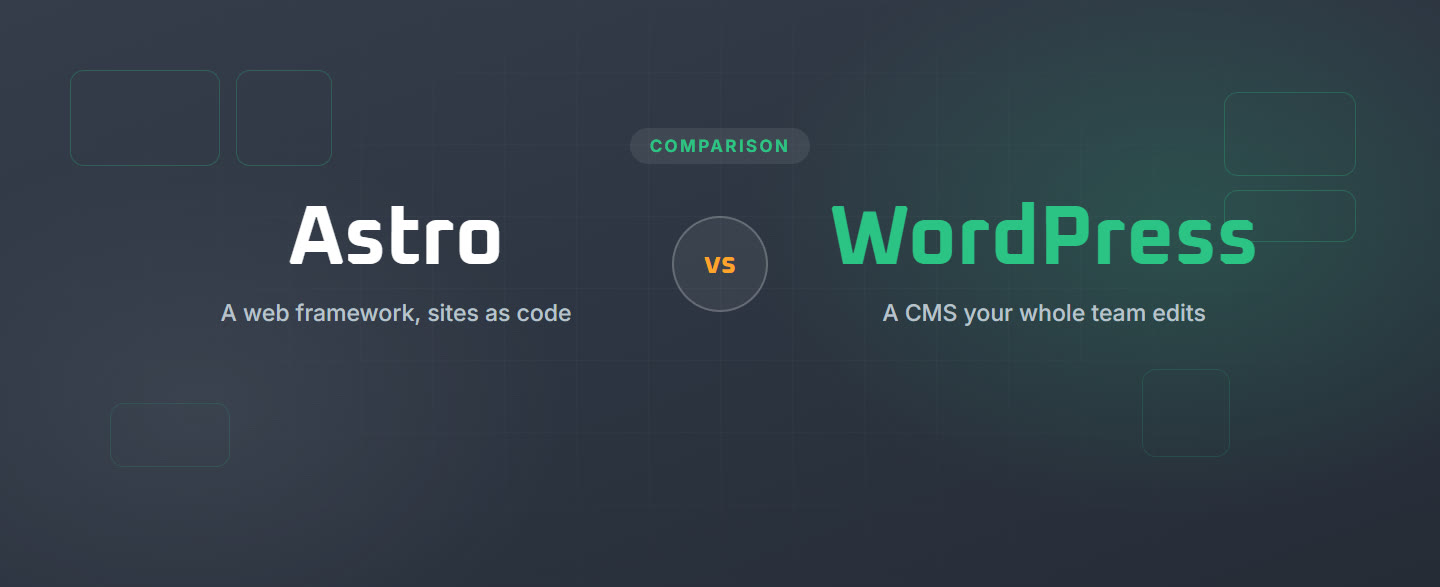
Astro vs WordPress
Astro and WordPress both build content sites, and with AI agents writing code, more teams now weigh one against the other. They start from different ends. Astro is a web framework: developers, or an agent, write the site as code, and it builds fast pages from it. WordPress is a PHP framework and a content management system at the same time: developers, or an agent, extend it in PHP, the site lives in a database, and a whole team edits it in the browser. This page compares them on what matters after launch too: speed, who edits the content, SEO, upkeep, and AI.
The short answer
Astro is a free, open-source web framework for content-driven sites, made by The Astro Technology Company, part of Cloudflare since January 2026. Pages are built from components into plain HTML, with no JavaScript sent to the browser unless a part of the page needs it, so sites are fast by default. Content lives in files in the code repository or comes from a separate CMS, and there is no admin screen for editors.
WordPress is free, open-source software that runs a large share of the web: a content management system and, for developers, a PHP framework they extend with themes, plugins and custom blocks. Pages and posts live in a database and are edited in the block editor, with user roles for a content team. You choose the host, the theme and the plugins, so you get more choice and more to look after, and speed depends on how carefully the site is built.
Key takeaways
- Code, or code plus a CMS. An Astro site is code in a repository. A WordPress site is PHP code and a database, with an editor in the browser.
- Speed. Astro sends plain HTML and no JavaScript by default, so it is fast without tuning. WordPress with a page cache such as Varnish serves stored HTML too, so it can be just as fast, as long as the theme and plugins load only what each page needs.
- Who edits. In Astro, whoever works in the repository, by hand or with an agent. In WordPress, anyone on the team, in the browser or by asking an AI agent connected over MCP.
- Upkeep. A static Astro site has no server or plugins to update, only code dependencies. WordPress needs core, plugin and PHP updates, which many hosts automate.
- AI. An agent edits an Astro site by writing its code, with the official Astro Docs MCP for current documentation. On WordPress, plugins such as Fabrement let an agent build and edit pages over MCP.
Hand this to your AI first: fabrement.com/AGENTS.md. One link, and your agent knows what Fabrement can do on your site and how to connect to it.
Side by side
How to read the table: Yes is a stated feature. Partly, not the main workflow means it is possible, but not what the product is built for. No means the product does not offer it.
| Astro | WordPress | |
|---|---|---|
| What it is | A web framework that builds sites from code into fast HTML pages | A PHP framework and a content management system, with an editor in the browser |
| Made by | The Astro Technology Company, part of Cloudflare since January 2026; open source | The WordPress open-source project |
| Price | Free; static sites can run on free hosting tiers | Free software; you pay for hosting, and for any paid themes or plugins |
| How you edit | In code: components, and content in Markdown or MDX files, or a separate CMS | Blocks in the block editor, in the browser |
| Editing by non-developers | Partly, not the main workflow: only after a CMS is added, such as a headless CMS or a Git-based editor | Yes: the block editor, with user roles for a content team |
| Preview before publishing | Partly: a preview address per change on hosts such as Netlify, Vercel or Cloudflare, through Git; editors need a CMS added for draft previews | Yes: a Preview button for every draft and change |
| Scheduled publishing | Partly: a post goes live when the site is rebuilt, so a schedule needs a timed rebuild or a CMS that triggers one | Yes: any post or page can be scheduled for a set date and time |
| Media library | Partly: images are files in the repository, optimized at build; a CMS adds a library | Yes: a media library in the browser, with sizes made on upload |
| Speed out of the box | Yes: plain HTML, and JavaScript only for the parts of a page that need it | Partly: depends on how the site is built. Fast with a lean theme, few plugins and a page cache such as Varnish |
| Blog | Yes: content collections for posts in Markdown or MDX | Yes: built in, what WordPress started as |
| Comments and reviews | Partly, not the main workflow: through an outside service such as Giscus or Disqus | Yes: comments built in; reviews extendable by plugins |
| SEO | Yes: full control of titles, tags and schema in code; sitemaps through the official integration | Yes, extendable by plugins: core makes sitemaps; Yoast SEO adds titles, descriptions and redirects |
| Multilingual | Yes: built-in routing for languages; the translations are yours to write | Yes, extendable by plugins: WPML or Polylang |
| Forms | Partly, not the main workflow: Astro Actions on a server, or an outside form service | Yes, extendable by plugins: Contact Form 7, WPForms and others |
| Ecommerce | Partly, not the main workflow: through an outside platform such as Shopify | Yes, extendable by plugins: WooCommerce |
| User accounts, members, client portals | Partly, not the main workflow: needs server output and an authentication library or service | Yes: users and roles built in; memberships, courses and client portals extendable by plugins |
| Ready-made extensions | Yes: hundreds of integrations, mostly for developers | Yes: tens of thousands of plugins that a site owner can switch on |
| Hosting | Any static host; server features need an adapter for Node, Netlify, Vercel or Cloudflare | Any host that runs PHP and a database; many manage updates and backups |
| Upkeep | Code dependencies and major framework upgrades; no plugins to patch on a static site | Core, plugin, theme and PHP updates; many hosts automate them |
| Security surface | Yes, small: a static site is files only, with no admin or database to break into | Partly: an admin and plugins to keep updated; many hosts add a firewall and automatic updates |
| Version control | Yes: the whole site lives in Git, and every change can be reviewed | Partly: revisions for posts and pages; code in Git when the team sets it up |
| AI agent over MCP | Yes: an agent edits the code in the repository, the official Astro Docs MCP gives it current documentation, and hosts such as Netlify, Vercel and Cloudflare offer MCP servers for deploys. Each change still goes through a commit, a build and a deploy, so this suits developers | Yes, extendable by plugins: the official MCP Adapter connects an agent to the Abilities API in core; a plugin such as Fabrement lets it build pages and blocks |
Who each one suits. Astro suits large content sites with a dedicated technical team that looks after the infrastructure and builds custom features; Cloudflare names Unilever, Visa and NBC News among its users. A smaller team can use it too, but it has to be technically savvy, happy to work in the repository by hand or with an agent, and ready to invest in building and maintaining its own features. WordPress suits small and medium businesses, corporate websites, and any site that many people edit every week: a content team, a client who changes prices and pages without calling anyone, several languages, a store, or content types such as projects and team members.
What changed recently. AI agents lowered the old cost on both sides. Astro used to mean a developer for every change; now an agent writes the components, so a landing page can take minutes. WordPress used to mean a theme, plugins and a developer for anything custom; with a plugin such as Fabrement, our own, the agent builds that too. What decides it now is who edits the site after launch, and whether the content should live in code or in a database your team can use.
Astro vs WordPress with Fabrement
The usual case for Astro over WordPress is speed, and fewer moving parts than a stack of plugins. Fabrement is our free plugin that gives your AI agent the tools to build and run a WordPress site as native Gutenberg blocks, with rules and checks, so the site is built the way an Astro site is, from a request, and edited by the whole team afterwards. Here is how Astro compares with WordPress once Fabrement is added.
| Astro | WordPress with Fabrement | |
|---|---|---|
| Building a page from a request | Your agent writes the components and the markup in the repository | Your agent builds native blocks from a sentence, a screenshot, a link to your current site, a Figma frame or HTML |
| Who changes content afterwards | Whoever works in the repository, by hand or with the agent; others need a CMS added | Anyone on the team in the block editor, or by asking the agent |
| Managing the site from a chat | The agent needs the repository, Git, a working build and the host, and each change goes edit, commit, build, deploy: smooth for a developer, not something a site owner can do alone | The agent connects to the live site over MCP, and anyone on the team asks in plain language; new pages wait as drafts, and every change can be rolled back |
| Preview before publishing | A preview address per change on hosts such as Netlify, Vercel or Cloudflare, through Git; draft previews for editors need a CMS added | New pages wait as drafts, and the agent gives a preview link that opens the page at its real address; the Preview button works for every change |
| Site-wide SEO changes | One change in code, then a new build | The agent writes and checks titles and descriptions for every page, in Yoast |
| Design system | Whatever the code defines: components and CSS | One design system for colours, fonts and buttons that every block uses |
| Speed | Static HTML with no JavaScript by default: hard to beat | Each page loads only the code of its own blocks; final speed depends on the host and caching |
| Forms | Astro Actions on a server, or an outside form service | Contact Form 7 and WPForms forms, styled to match the site |
| Safety of changes | Git history, and a review before each deploy | Every block change is checked before it is saved and versioned, so it can be rolled back; new pages wait as drafts |
| Upkeep | Code dependencies and framework upgrades | WordPress, plugin and PHP updates, which many hosts automate |
| Price | Free; you pay your host, if anything, and your own AI plan | Plugin free; you pay your host and your own AI plan |
The honest gap is speed and simplicity: a static Astro site has fewer moving parts and is fast without any tuning. What WordPress keeps is the editor: the people who run the business can change the site themselves. It also keeps the largest ecosystem of ready-made features of any web platform: thousands of developers build and maintain features such as WooCommerce, forms, SEO and multilingual, so a team does not have to build them itself. More on how Fabrement builds a WordPress site.
Can you use both?
Yes. Astro can use WordPress as a headless CMS: editors keep writing in WordPress, and Astro reads the content through the REST API or GraphQL and builds the pages. The cost is two systems to run, and the Astro site gets the content, not the WordPress design, so every layout is built again in Astro. Going the other way is simpler than it sounds: Astro outputs plain HTML, so an agent can rebuild the design as native Gutenberg blocks from the live site or the code, the same way our HTML to WordPress page describes.
Frequently asked questions
Is Astro better than WordPress?
Astro vs PHP: what is the difference?
Is Astro faster than WordPress?
Is Astro better than WordPress for SEO?
Can non-developers edit an Astro site?
Can you manage an Astro site through MCP?
Can I use WordPress with Astro?
Can I move from Astro to WordPress?
Sources
Astro facts were checked on 28 October 2026 against the Astro documentation, its guide to building Astro sites with AI tools (the Astro Docs MCP), and Cloudflare’s announcement of 16 January 2026. The hosting MCP servers were checked on 29 October 2026, including Netlify’s announcement of its MCP server. WordPress facts come from the WordPress project. Fabrement facts come from our own AGENTS.md (plugin version 1.6.0). If anything here is out of date, tell us and we will correct it.
Related articles
Lovable vs WordPress
Lovable builds and hosts web apps with its own AI agent. WordPress is open-source software for content sites on a host you…

The Best CMS Is the One You Don’t Need to Know
Every CMS argument is about which one is best. The real problem is that they are all different, and the knowledge of…
HTML to WordPress
Turn a static site, an AI export or an Astro build into native Gutenberg blocks your whole team can edit.