All the Power of WordPress, Without the Admin
Over the last three weeks this website got a custom post type, twelve records inside it, a restructured header menu, a four-column footer, an FAQ section on the homepage, three pages removed from the search index, a rewritten privacy policy and terms of use, SEO titles and meta descriptions across the site, structured data on two articles, and a trust line added to three product pages.
I have not opened wp-admin once.
Not “opened it less”. Not once. Every one of those changes was made by an AI agent connected to the site, while I described what I wanted and checked what came back.
That is the part people keep missing about connecting an agent to WordPress. Every demo is about generating a hero section, and generating a hero section is the least interesting thing it does. The wider version of this argument is in The Best CMS Is the One You Don’t Need to Know.
Key takeaways
- You can manage a WordPress site without wp-admin: pages, posts, menus, SEO fields and whole sections, described in ordinary words to an agent connected to the site.
- Most of what we call “knowing WordPress” is knowing where things are hidden, and that knowledge is different on every installation.
- It changes least for developers and most for owners, marketers and writers, who never wanted to learn the admin in the first place.
- AI executes well against a design system that already exists and invents forgettable design when there is none, so the designer’s work moved upstream rather than away.
- The lookup work went away, the judgement did not. You still need to decide what should change, and check what came back.
The claim
wp-admin is a filing cabinet for settings.
You should not have to learn that menus live under Appearance. You should not have to know that a custom post type needs a plugin, or which of the six plugins that do it will still be maintained in two years. And you should not have to learn where Yoast buried the toggle that keeps a thin archive page out of Google.
None of that is WordPress knowledge. It is furniture knowledge: where this particular installation happens to have put things. It is the tax you pay for a platform that is two decades old and extensible by anyone.
Most of what our industry calls “knowing WordPress” is knowing where things are hidden.
Who this actually changes things for
Not developers. Developers already know where everything is; for them this is a shortcut.
It changes things for everyone else who has to touch a website and never signed up to learn it.
The business owner who wants to add a page, and finds that adding a page means choosing a template, then finding out what a template is.
The marketing person who has one job today, getting the meta description right on eight pages, and has to be shown where it lives, again, because it lives somewhere different on every site they work on.
The content writer who works with four clients. Four WordPress installs, four themes, four sets of plugins, four different places the featured image, the excerpt and the SEO fields turn out to be. The writing takes an hour. The furniture takes another.
For all three, the barrier was never the work. It was the interface between them and the work, and it was a different interface every time.
An agent removes that layer. You say what you want in the words you would use to ask a colleague, and it happens on the site. There is no screen to find, because there is no screen. How the connection itself is made is covered in the guides for ChatGPT and Claude, and what it changes in daily work is in running WordPress from your coding agent.
Good news for designers
Before that reads as “AI eats everything”, here is the limitation we hit constantly, and it is a real one.
AI builds beautifully against a design system that already exists. Give it colour roles, a type scale, button variants and spacing rules, and it will produce component after component that all visibly belong to the same site. That is where the speed actually comes from.
Ask it to invent the design and you get something plain. Standardised. Competent and forgettable. You can tell. Anyone who looks at a lot of websites can tell immediately.
So the value did not move away from designers. It moved upstream, to the part that was always the valuable half: deciding what the system is. Once that decision exists, executing it is nearly free. Before it exists, nothing is.
If you are a designer reading this, the job was never to compete with generated components. It is to own the thing they are generated from.
“Then you cannot check the work”
This is the real objection, and it deserves a straight answer rather than a slogan.
It is true that if you have never seen wp-admin, you cannot review what an agent did in it. But that is not what changed here.
Someone still decided that three pages should come out of the search index, and which three. Someone still decided that our FAQ answers belonged in one reusable library instead of copy-pasted into six pages. Someone still decided where the agency credit belonged on each product page. And someone still killed a sentence claiming our generated blocks keep working after you remove the plugin, because they do not, and it had already reached four places before anyone checked.
The agent made none of those calls. It executed them, in seconds, in places where a person would have spent twenty minutes hunting for the right screen.
The lookup went away. The judgement did not. Anyone selling you the second one is selling you a problem.
The hardest test we could find: WPML
The most recent work was translation, and if you have ever taken a WordPress site multilingual you know why we chose it as the test. String translation, per-language menus, translated slugs, taxonomy terms, the language switcher, and settings spread across the plugin’s own screens.
It is the purest example of the thing this post is about: an enormous amount of knowing-where-things-are, and almost none of it judgement. A page in another language now takes one request, linked as a translation, with menus, slugs and SEO fields handled. To be precise about what that is not: the agent writes the translated text itself rather than handing it to WPML‘s translation editor, so the glossary, the translation memory and the review step stay outside that path.
WPML support shipped in the last Fabrement release. If you want the longer version of how any of this works, it is on how Fabrement builds a WordPress site.
Frequently asked questions
Can you really manage a WordPress site without wp-admin?
Yes, for content and structure. With an agent connected over MCP you can create pages and posts, edit any text or image in a block, change menu items, set SEO fields and build new sections, all from the chat you already use. Some things still belong in wp-admin: updating plugins and core, user accounts, and anything a plugin exposes only through its own screens.
Do you still need a developer if an AI agent runs the site?
Not for everyday changes: text, images, a new page built from sections that already exist. You need one when the system itself changes, when a new kind of section has to be designed, or when something breaks in a way that needs reading the code. The lookup work went away; the judgement did not.
What can an AI agent not do on a WordPress site?
It works through a fixed set of registered operations, not a shell, so there is no file access beyond the blocks it writes and the database operation is read-only. Publishing is a separate step, so a page cannot go public as a side effect of saving it. It does not touch WooCommerce, carts or payments, and it has no role-scoped access: an agent gets the whole surface or none of it.
How does an AI agent connect to WordPress at all?
Through the Abilities API, which shipped in WordPress 6.9 and lets a plugin register an operation with its input, output and permission check, and through an MCP server that exposes those operations to the agent. The agent authenticates as a WordPress user, so the key it holds carries that user’s rights: revoke it when the work is finished and keep a backup before large changes.
The short version
Learning where WordPress hides its settings was never expertise. It was a toll.
Knowing which settings should be different, that was always the job, and it still is.
Managing WordPress without wp-admin, just using plain language, feels like stepping out of the stone age into the future. You never go back.
Related articles
The Best CMS Is the One You Don’t Need to Know
Every CMS argument is about which one is best. The real problem is that they are all different, and the knowledge of…

Running WordPress From Your Coding Agent: What MCP Actually Changes
The Model Context Protocol lets a coding agent operate WordPress directly instead of writing code you copy and paste. Here is what…
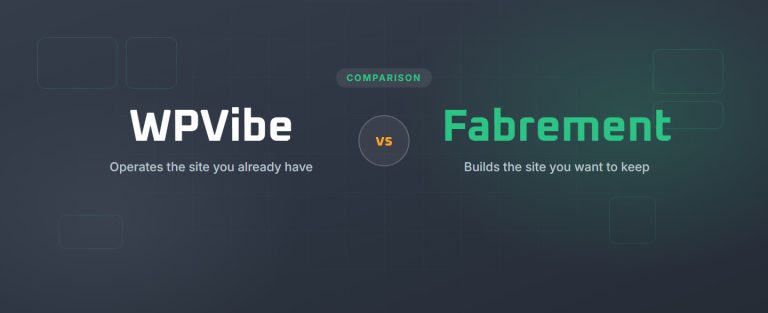
WPVibe vs Fabrement
WPVibe gives an AI agent hands on the WordPress site you already have. Fabrement builds the whole site, from Figma to forms,…