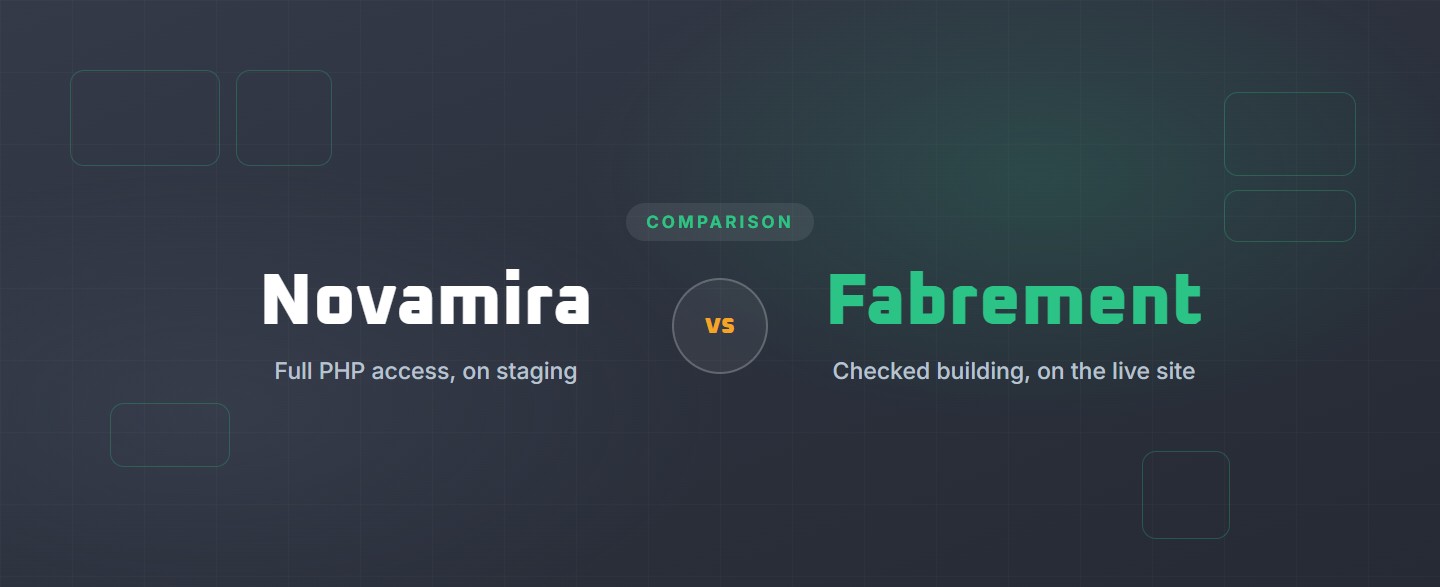
Novamira vs Fabrement
Novamira and Fabrement are both free WordPress plugins that connect the AI agent you already use to your site over MCP, so they get compared. They give that agent very different powers: Novamira gives it full access to WordPress, Fabrement gives it a set of building operations with checks. (Novamira the WordPress plugin is not related to other companies that use the same name.)
The short answer
Novamira is a free, open-source plugin from Ovation S.r.l., the Italian team behind Dynamic Content for Elementor. It gives the AI agent you already use full access to WordPress: it runs PHP and WP-CLI, queries and changes the database, and edits files, so it can work inside any theme, builder or plugin. Its makers say to use it on development and staging sites, with backups. Novamira Pro, from €69 a year, adds memory between sessions and specializations for 58 builders, themes and plugins, and a Read Mode for looking at production sites.
Fabrement is a free plugin. It turns a WordPress 6.9 site into an MCP server with fixed building operations, so your AI agent (Claude, ChatGPT, Codex, Cursor or any MCP client) builds native Gutenberg blocks, templates, post types, fields and filtered catalogues on one design system. The code it writes is checked before it is saved, every block keeps its history, and each change can be previewed at the page’s real address before anyone else sees it.
Key takeaways
- Full access or fixed operations. Novamira lets the agent do anything PHP can do. Fabrement lets it build through set operations, with database queries read-only and no shell or WP-CLI.
- Staging or the live site. Novamira is for development and staging sites by its own documentation; Pro’s Read Mode allows read-only sessions on production. Fabrement works on the site your visitors see, with preview, versions and rollback.
- Any builder or native blocks. Novamira works inside Elementor, Bricks, Divi and other builders. Fabrement builds native Gutenberg blocks with editor fields; a page builder site is rebuilt rather than edited.
- Where each is ahead. Novamira Pro has memory between sessions, WooCommerce expertise and specializations for 58 builders, themes and plugins, plus a read-only mode. Fabrement has catalogues with filters, redirects, the site’s own API and multilingual sites on WPML, all from one plugin.
- Price. Both plugins are free. Novamira Pro costs €69 a year for 3 sites, €149 a year for 1,000 sites, or €299 once. Fabrement has no paid tier; you pay your host and your own AI plan.
Hand this to your AI first: fabrement.com/AGENTS.md. One link, and your agent knows what Fabrement can do on your site and how to connect to it.
Side by side
How to read the table: Yes is a stated feature. Partly, not the main workflow means it is possible, but not what the product is built for. No means the product does not offer it.
| Novamira | Fabrement | |
|---|---|---|
| What it is | A free, open-source plugin that turns WordPress into an MCP server with full access for your AI agent; Novamira Pro is a paid add-on | A free plugin that turns a WordPress site into an MCP server with building operations for your AI agent |
| Made by | Ovation S.r.l. (Dynamic.ooo), Italy, in the WordPress market since 2018 | 7Fridays |
| Adoption | Open source since February 2026; 772 stars and 122 forks on GitHub | Our own tool, used by our team in everyday client work |
| Where it is meant to run | Development and staging sites only, by its own documentation; Pro’s Read Mode makes read-only sessions on production possible | Any WordPress 6.9+ site with PHP 8.0+, including the live one: changes are previewed at the real address first |
| Which AI does the work | Your own agent: Claude, Codex, ChatGPT, Cursor, Gemini, Grok or any MCP client; terminal agents can also use the Novamira CLI | Your own agent: Claude, ChatGPT, Codex, Cursor or any MCP client |
| Who can connect | Administrators only, over HTTPS, with OAuth or an application password | An administrator creates the connection in wp-admin |
| What the agent can do | Anything PHP can do: run PHP and WP-CLI, query and change the database, read and write files | Fixed operations: blocks, headers and footers, templates, pages, post types, fields, catalogues with filters, menus, forms, SEO, redirects and the site’s own API; read-only database queries |
| Works inside page builders | Yes: Elementor, Bricks, Divi, Oxygen, Breakdance, WPBakery and others; Pro adds builder-specific specializations | No: it builds native Gutenberg blocks; a page builder site is rebuilt rather than edited |
| Builds pages in the block editor | Yes, including GenerateBlocks, Kadence and Spectra blocks with Pro | Yes, and places other plugins’ blocks too |
| Custom blocks with editor fields | Partly, not the main workflow: the agent can write any PHP, but building blocks is not a stated feature | Yes: native blocks with real PHP, CSS and JS, whose texts, images and links are fields in the editor |
| From Figma | No: not a stated feature | Yes: reads the frame and turns it into blocks with flex and grid layout |
| Design system | Yes: Novamira Design saves fonts, colours, spacing, voice and rules in WordPress (free) | Yes: colours, responsive type, buttons and fonts as one design system |
| Headers, footers and templates | Yes, through the site’s builder or theme, with Pro specializations for theme builders | Yes: headers, footers and templates applied to pages, post types and archive listings |
| Post types and fields | Yes, with Pro: ACF, JetEngine, Meta Box, ACPT, Pods and ASE | Yes: post types with their own fields, single pages and catalogues with filters |
| Forms | Yes, with Pro: WPForms, Contact Form 7, Gravity Forms, Fluent Forms, Ninja Forms and Formidable | Yes: Contact Form 7 and WPForms, styled to match the site |
| SEO | Yes, with Pro: Yoast SEO, Rank Math, All in One SEO and SEOPress | Yes, with Yoast SEO: titles, descriptions and schema per page and per archive |
| Redirects | Partly, not the main workflow: no redirect feature is listed; with full PHP access the agent can add redirects in code or through a redirect plugin | Yes: old addresses, whole sections at once, and "gone" (410) |
| Memory between chats | Yes, with Pro | Partly: the site keeps its design system, blocks and rules, and gives them to the agent at the start of every chat |
| Safety net | Files the AI writes go to a sandbox with crash recovery; a safe-mode URL flag; a 30-second limit per code call. Database and config changes made through direct code run live | Code checked before it is saved; every block keeps its history, one step back is one request; preview at the real address; the AI asks before deleting; safe mode in wp-config.php |
| Read-only mode | Yes, with Pro: Read Mode removes the tools that write; by its own words it is not a security feature | No, not yet |
| Approval before changes | In Novamira Chat, yes: it shows its plan and waits for your OK. Over MCP, it depends on your AI client | Partly: new pages start as drafts and publishing is a separate step; edits to a published page go live when saved; no approval panel |
| Chat inside wp-admin | Yes: Novamira Chat, on WordPress 7 with your own AI key | Yes: it starts with a free credit on Gemini, then runs on your own AI key |
| Ecommerce | Yes, with Pro: products, variations, categories, tags, attributes and shipping classes in WooCommerce | No; WooCommerce support is planned |
| Multilingual | Yes, with Pro: WPML and Weglot specializations | Yes, with WPML: pages, menus, post types, fields, catalogues and redirects per language |
| Many sites | Yes: Novamira HQ, a free desktop app in beta, gives your AI one connection to all your sites | Each site is its own connection |
| Price | Free (AGPL); Pro €69 a year for 3 sites, €149 a year for 1,000 sites, or €299 once | Plugin free, with a free Fabrement account; your own host and AI plan |
| Requirements | WordPress 6.9+, PHP 8.0+ (Pro); Novamira Chat needs WordPress 7 | WordPress 6.9+, PHP 8.0+, a free Fabrement account |
Who each one suits. Novamira suits developers who want an agent that can do anything PHP can do on a development or staging copy, including on Elementor, Bricks or Divi sites. Fabrement suits people who want the agent to build and run the site itself in native Gutenberg, with the same checks every time, and teams who edit the site afterwards in the block editor or by asking their agent in plain language.
Can you use both?
Yes. They are separate plugins, and one AI client can be connected to both. Follow the line each draws for itself: Novamira on a development or staging copy, where its makers say it belongs, and Fabrement for the pages on the live site. More on how Fabrement works with your agent is on how Fabrement builds a WordPress site.
Frequently asked questions
Is Fabrement a Novamira alternative?
For some jobs, yes. Both are WordPress plugins that connect the AI agent you already use (Claude, ChatGPT, Codex, Cursor and others) to your site over MCP. Novamira gives the agent full access: it runs PHP and WP-CLI, queries the database and edits files, and its makers say to use it on development and staging sites. Fabrement gives the agent a set of building operations: native Gutenberg blocks, templates, post types, fields, menus, forms, SEO and redirects, with code checked before it is saved and every block change kept as a version. Novamira suits developers who want the agent to do anything PHP can do on a copy of the site. Fabrement suits people who want the agent to build and run the site itself, with the same checks every time.
Can Novamira and Fabrement run on the same WordPress site?
Yes. They are separate plugins, and one AI client can be connected to both. Keep in mind where each is meant to run: Novamira’s own documentation limits it to development and staging sites, while Fabrement works on the site your visitors see, with every change previewed at its real address first. If you use both, that is the natural split: Novamira on a staging copy for custom PHP work, Fabrement for building and running the pages.
Does Fabrement let the AI run any PHP code on my site?
No. Fabrement has no tool for running free PHP, shell or WP-CLI commands, and its database queries are read-only. The AI works through fixed operations, and the code it writes for blocks and for the site’s own API is checked before it is saved: a problem is refused with the reason, nothing is half-saved. A broken block is logged and never takes the site down, and safe mode switches generated code off with one line in wp-config.php. Novamira takes the opposite approach on purpose: full PHP access, with a sandbox and a crash guard for the files the AI writes.
Sources
Novamira facts were checked on 18 November 2026 against its home page, how it works, security, pricing, Novamira Pro, Read Mode, Novamira Chat, Novamira Design and about pages, and its GitHub repository (version 1.12.16). Fabrement facts come from our own AGENTS.md (plugin version 1.7.0, checked 16 November 2026). If anything here is out of date, tell us and we will correct it.
Related articles
WordPress MCP Adapter vs Fabrement
The official MCP Adapter is the bridge that lets an AI agent call what WordPress plugins register. Fabrement is a plugin with…
WPVibe vs Fabrement
WPVibe gives an AI agent hands on the WordPress site you already have. Fabrement builds the whole site, from Figma to forms,…
How to Connect Claude to WordPress to Build and Run Your Site
Connect Claude to a WordPress site in the browser, the desktop app or Claude Code: one-click OAuth, the terminal commands or a…