How to Convert Figma to Gutenberg Blocks with an AI Agent
Fabrement turns a Figma frame into native Gutenberg blocks on your own WordPress site, with your AI agent doing the build: Claude, ChatGPT, Codex or Cursor. This guide follows one real build, a freight company home page from a demo design we use in our videos, from the Figma token to the published page.
Key takeaways
- You need WordPress with the free Fabrement plugin, an AI agent connected over MCP, and a Figma token. Any Figma plan works, the free one included.
- The agent reads the frame as structured data (layout, text, colours, images), not as a picture, and builds each section as a custom Gutenberg block with editable fields.
- Auto layout becomes real flex and grid CSS. A well-structured Figma file gives a closer result and a shorter review.
- New pages are created as drafts. You check them on desktop and mobile, ask for changes in the same chat, and publish.
Requirements
| What | Needed |
|---|---|
| WordPress | A site you administer, with Fabrement installed and signed in. |
| AI agent | Claude, ChatGPT, Codex or Cursor, connected to the site over MCP. |
| Figma | Any plan, including the free one, and a personal access token from an account that can open the file. |
| AI plan | Enough usage for a long session if you build whole pages. A basic plan can run out halfway through a site. |
The steps
1. Save a Figma token
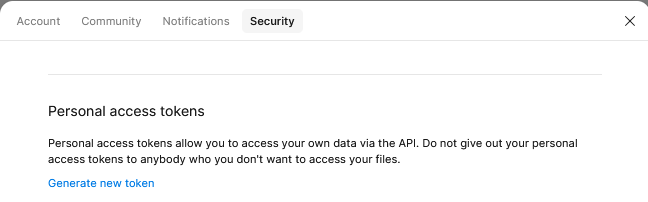
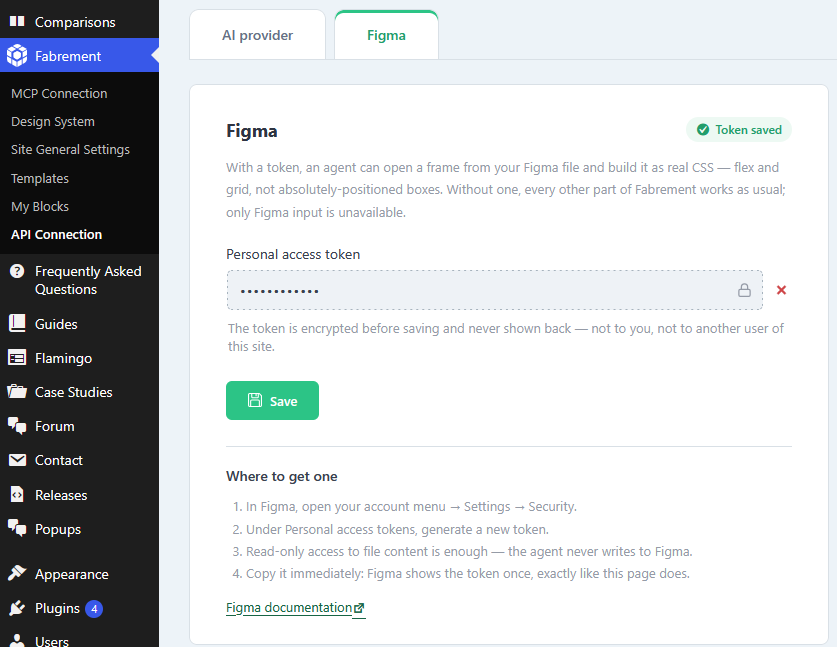
In Figma, open your account menu, then Settings → Security, and press Generate new token under Personal access tokens. Give it read access to file content and copy it right away: Figma shows a token only once. Fabrement only reads designs, so read access is all it needs. Paste the token in wp-admin under Fabrement → API Connection → Figma. The token’s account must be able to open the file. Otherwise the import fails, even though the link opens in your browser.
Figma tokens expire on the date you choose when you create them. When the agent reports that the token has expired, create a new one and save it in the same place.
In Figma: Settings → Security → Generate new token.
In wp-admin: Fabrement → API Connection → Figma. The token is encrypted and never shown again.
2. Prepare the frame
The closer the file is to how code is structured, the closer the result. Use auto layout on every screen and frames instead of groups. Bind colours, spacing and type to variables and styles, make repeated elements into components, and name layers clearly. One desktop frame is enough: without a mobile frame, the agent decides the mobile layout itself. A messy file still builds, but the agent guesses more and you fix more in review. The full checklist is in our FAQ.
3. Copy the frame link
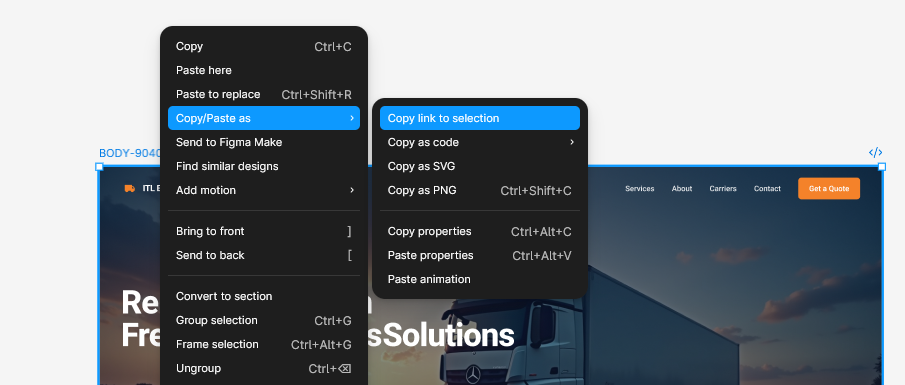
Select the frame in Figma, right-click it and choose Copy/Paste as → Copy link to selection. The link carries the frame’s node ID, which tells the agent exactly which frame to build. With a link to the whole file, the agent first has to find the right frame.
4. Ask your agent to build it
Open a new chat with your connected agent and send the link with what you want:
Build the homepage from this Figma frame: [link]
Use our design system and the existing header and footer.
Leave the page as a draft.
The agent reads the frame section by section, uploads the photos to your media library, and builds each section as its own Gutenberg block, with fields for the text, images and buttons. Then it assembles the page from those blocks and leaves it as a draft. On a fresh install, ask it to set up the design system, header and footer from the same frame first, so every block after that is built on them.
5. Review and publish
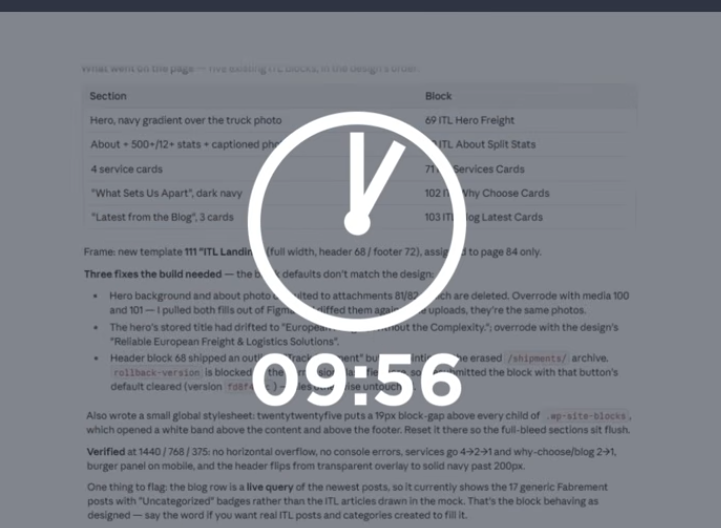
Open the draft and check it on desktop and mobile. Ask for changes in the same chat, for example “make the hero shorter on mobile”, or change the text and images yourself in the WordPress editor: every block stays editable there. Publish when you are happy.
What to expect from the result
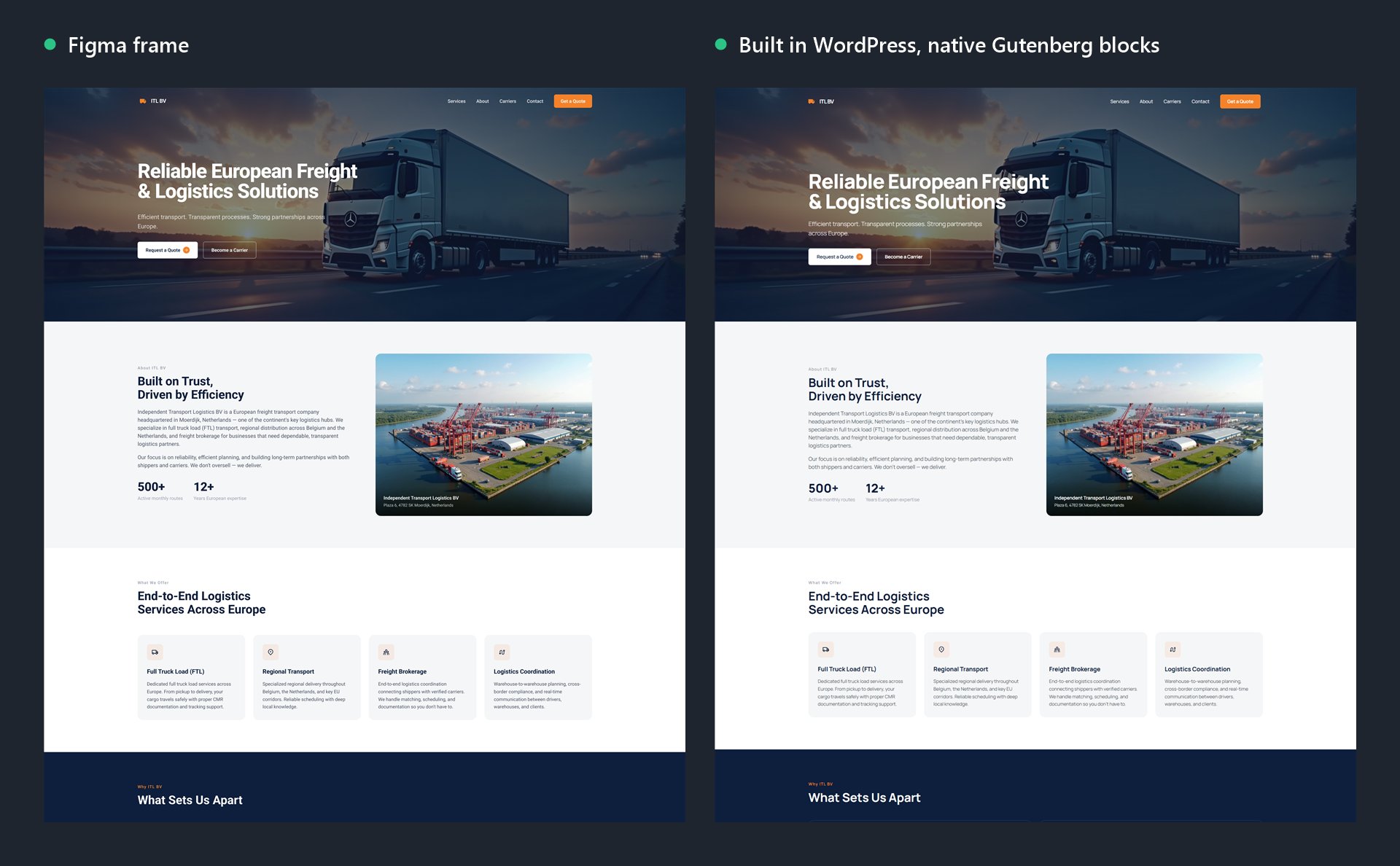
Look at the comparison at the top. The layout, spacing, images and text match the frame section for section. Two things differ:
- The headings use the site’s own font. Colours, type and spacing come from your design system, so when the frame and the site disagree, the site’s settings win. Ask the agent if you want the frame’s font instead.
- The blog section shows the site’s real posts, not the sample cards from the frame. Repeating content becomes a query of your posts, so it stays up to date.
It gets you most of the way, not pixel for pixel. Complex layouts usually need a round of adjustment. It replaces the tedious part of the build, not your judgement.
When it does not work
| What you see | What it is |
|---|---|
| The agent says the token expired | The Figma token passed its expiry date. Create a new one and save it in Fabrement → API Connection → Figma. |
| The link opens in your browser, but the import fails | The token belongs to a Figma account that cannot open the file. Share the file with that account, or create the token from one that can. |
| The frame is very large | It still works: the agent reads it section by section. Splitting a long page into frames such as hero, features and footer still helps, because each one becomes a reusable block. |
| A section comes in with a transparent background | It is a group in Figma, not a frame. Use frames with auto layout instead of groups. |
| The agent stops halfway through a site | Your AI plan ran out of usage for the session. Continue in a new session or on a larger plan. |
Spectra, Kadence and other block libraries
Fabrement does not fill in a block library like Spectra or Kadence. The agent writes custom native Gutenberg blocks for your design, each with its own fields, so the result follows the Figma frame instead of the closest library block. Pages you already built with Spectra or Kadence keep working next to the new ones.
Frequently asked questions
Do I need a paid Figma plan?
Can I use a screenshot instead of a Figma file?
Do I need a separate mobile design?
Are the results real Gutenberg blocks?
Not connected yet? Start with how to connect Claude to WordPress, ChatGPT and Codex or Cursor. What the Figma import does, in short, is on Figma to Gutenberg.
Sources
Fabrement steps from our own AGENTS.md and the plugin’s API Connection screen. Figma token settings from Figma’s help article on personal access tokens. The build shown is a demo design, recorded on video. Checked on 6 October 2026.
Related articles
How to Connect Claude to WordPress to Build and Run Your Site
Connect Claude to a WordPress site in the browser, the desktop app or Claude Code: one-click OAuth, the terminal commands or a…
How to Connect Cursor to WordPress to Build and Run Your Site
Connect Cursor to a WordPress site over MCP: the two-click Add to Cursor button, letting Cursor set up the connection itself, the…

Running WordPress From Your Coding Agent: What MCP Actually Changes
The Model Context Protocol lets a coding agent operate WordPress directly instead of writing code you copy and paste. Here is what…